

A Claude bill usually consists of three items: the plan fee, extra usage and API charges. They're billed separately — separate them first, then check the specific charge timing.
Pro vs Max: how to choose among the three tiers
The difference between the three tiers is session usage, not features. The multiplier on a tier indicates the usage level, not a speed boost and not unlimited use.
| Comparison item | Pro | Max 5x | Max 20x |
|---|---|---|---|
| Official monthly baseline | $20 | $100 | $200 |
| Yearly plan | $200 paid once | No yearly plan yet | No yearly plan yet |
| Usage positioning | Everyday continuous use | Fairly heavy use | Very high-intensity use |
| Relative session usage | Baseline | About 5x Pro | About 20x Pro |
| Unlimited use? | No | No | No |
| API credit included? | No | No | No |
USD prices are the official baseline and exclude tax. Region, currency and purchase channel will make the actual amount paid differ.
The deciding factor is your actual usage intensity. For occasional use, start with the free tier; for everyday writing and research, evaluate Pro first; if you often hit the usage cap during working hours and interruptions hurt your output, then look at the Max tiers.
Yearly vs monthly: how to compare
Pro's yearly plan pays the full year in one go, which works out lower than the monthly total. But the first outlay is a one-time yearly amount, so confirm your cash flow first.
- During a trial, pay monthly first; once you confirm a long-term need, compare the yearly plan.
- The "converted monthly price" of the yearly plan is a display figure, not an installment commitment.
- When upgrading mid-cycle, focus on the credit amount and the new cycle start date.
Subscribing on the web: four steps
- Open the Claude website and sign in to the target account; new accounts complete registration on the page.
- Go to the billing page in settings and choose an upgrade plan; when buying Pro, pick monthly or yearly.
- Check the plan name, currency, tax, the amount due this time and the next billing date item by item.
- After paying, return to the billing page to confirm the plan is active, and note the renewal date on the usage page.
If the card was charged but the account still shows the free tier, first verify the email and sign-in method used at purchase, then check the transaction status.

Buying on mobile and switching channels
When you buy on mobile, the charge comes from the app store. Price and currency follow the store's confirmation page, and cancellation is also done back in the original store.
- Web: cancel the subscription on the billing page in settings.
- Mobile store: choose Manage Subscription on the billing page, or use system settings and the store's subscription page.
- The same account works across multiple devices; you don't need to buy once per device.
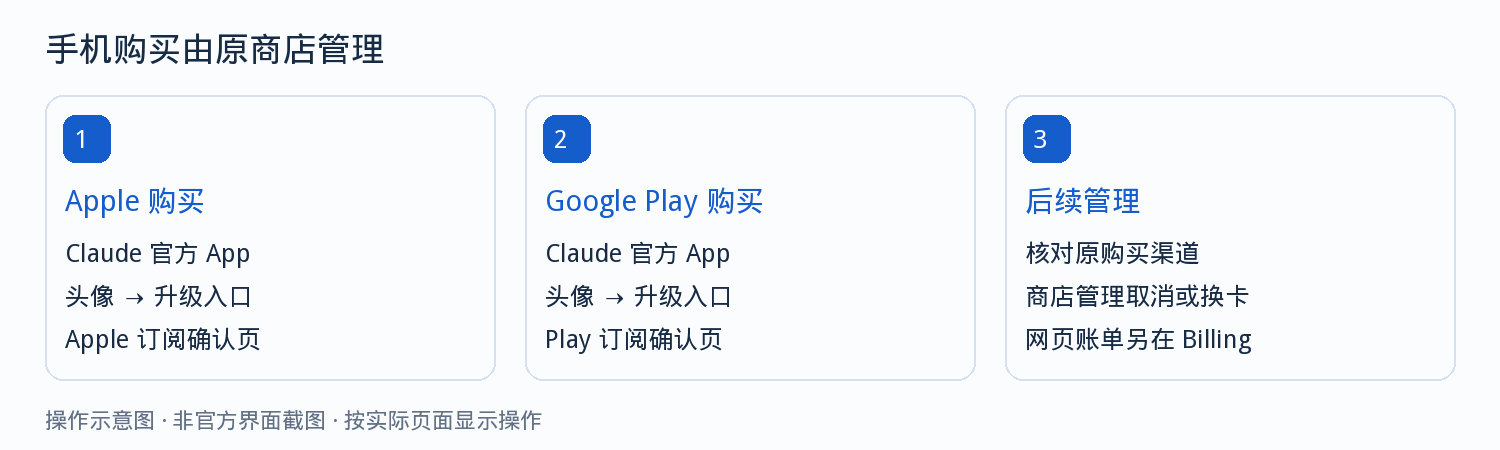
How first, renewal and upgrade charges work
| Action | Typical billing result |
|---|---|
| First monthly payment | Pays the current month's fee and applicable tax at purchase |
| First yearly payment | Pays the full year at once, renews the next year |
| First Max purchase | Pays the chosen tier's monthly fee at purchase |
| Mid-cycle upgrade | Takes effect immediately and resets the cycle; the old plan's remaining value can be credited |
| Downgrade | Usually takes effect after the current cycle ends |
The credit calculation between tiers follows the amount due shown on the checkout page.
Here's an example of how the credit works: say the current month has 30 days and 15 have passed, your old plan costs $20/month with about $10 of remaining value, and the new plan costs $100/month — then about $90 is due this period and the next renewal is $100. These numbers only illustrate how the credit works; actual amounts follow the page.

Extra usage: turning it on and controlling it
In-plan usage and extra usage are two separate outlays. Once extra usage is enabled and purchased, your card will be charged once more on top of the plan fee.
- Find the extra usage entry on the usage page in settings and turn it on.
- Add a payment method as prompted, and set a monthly usage cap first.
- Then buy credit as needed; if you don't need it, turn off auto top-up before confirming.
As credit is consumed, the balance decreases; this step doesn't create a new card charge. Your card is only charged again when you make another purchase or auto top-up is triggered.
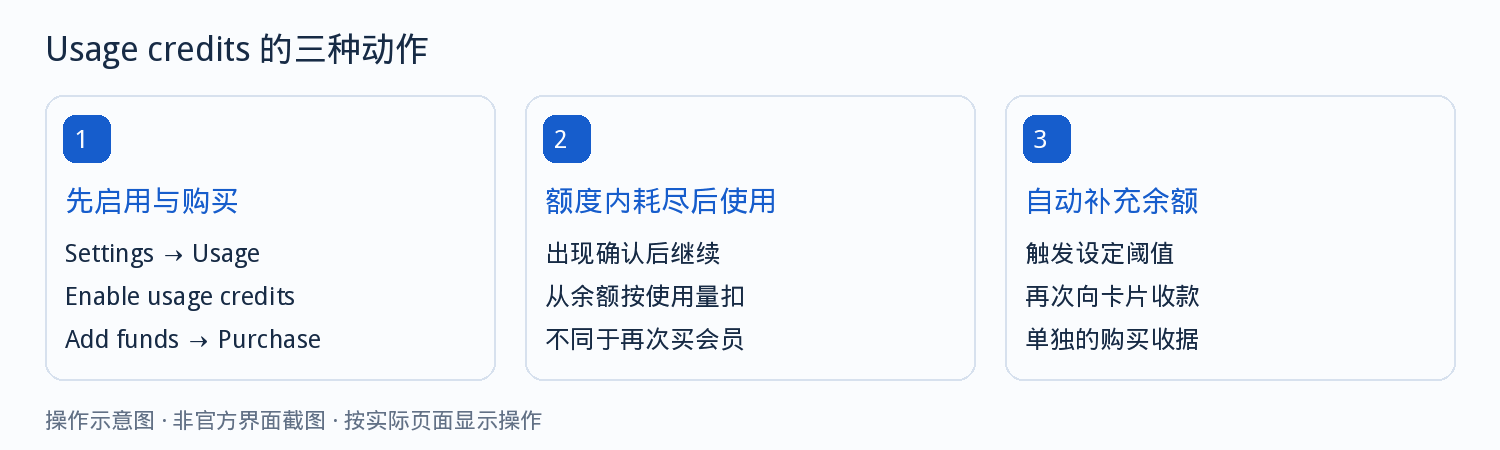
Usage limits and Claude Code
Per official notes, session usage resets on a rolling time window, with a weekly usage limit and other possible limits on top. Long contexts, large files and complex tasks all affect how much is available.
- Paid plans can include Claude Code, which shares usage with Claude.
- If the tool is configured with an API key or cloud-platform credential, the cost falls under the corresponding bill.
- When interruptions happen, first confirm whether it's a usage limit, or an account or payment issue.
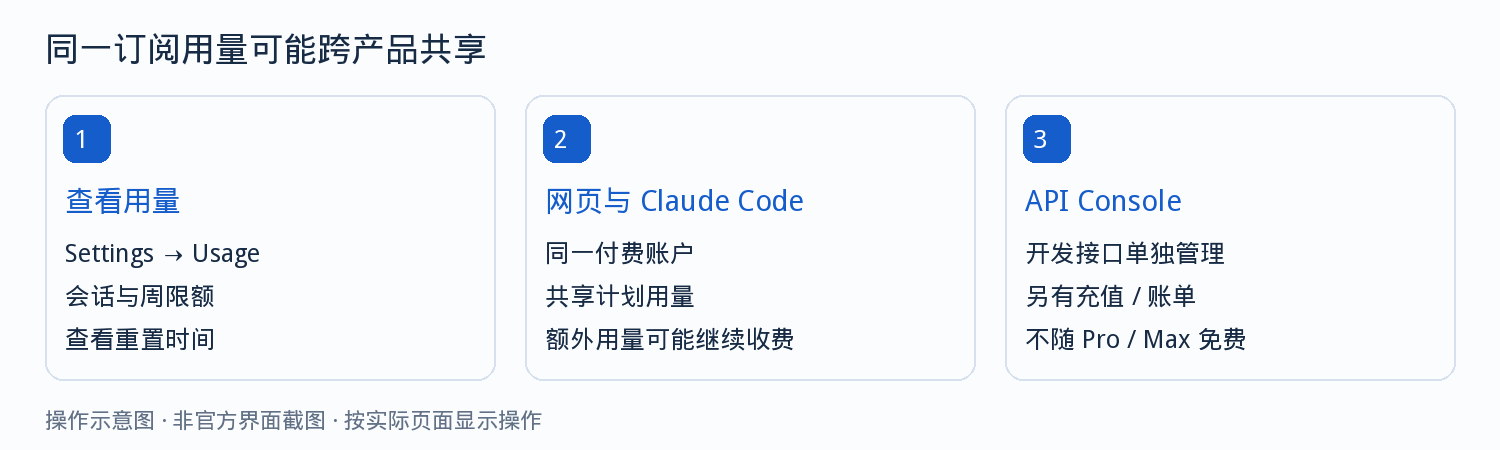
Cancellation, refunds and failed-charge troubleshooting
Cancel at least 24 hours before the renewal date. After cancelling, you can usually keep using it until the current period ends.
| Situation | Check order |
|---|---|
| First payment failed | Confirm whether the account region is supported, then check the card details |
| Renewal failed | Check the card expiry, available balance and bank verification |
| Two charges appear | Compare the subscription receipt and the extra-usage receipt to confirm they're two separate payments |
| A credit line on the bill | That's the old plan's remaining value credited; look at the final amount due |
| Still on the free tier after paying | Check the account email and payment status |
| Still charged after freezing the card | First confirm whether an active subscription still exists |
A pending status on your card doesn't mean the payment finally succeeded; the platform receipt is authoritative.
When contacting support, provide the account email, order number, time, currency and amount, and the last four digits of the card. Don't provide the full card number, security code or verification code.
Three extra checks for virtual card users
- Whether the account region matches the card's BIN region.
- Whether the card balance covers the first payment and any pre-authorization hold.
- Switch cards away from the billing date; switching right around it tends to fail twice in a row.
Choosing a card by subscription scenario costs less than trial and error
Subscription payments hinge on three things: whether the card network is accepted by the merchant, whether the billing address region matches the account, and whether recurring auto-debit is supported. The five entries below are ordered by how you'd decide.
Card type selection guide
Start here if you're not sure which card family to openMatches card types against 5 user profiles and 15 use cases, and explains how BIN ranges work and how to combine multiple cards.
Visa virtual card
When merchants accept Visa, or the merchant's preference is unknownThe widest acceptance, suitable for subscriptions and ad campaigns alike; a good fit for running the whole payment flow end to end for the first time.
Mastercard virtual card
Card binding and verification, monthly auto-renewalsMore stable compatibility for card-information verification and recurring auto-charge scenarios.
US virtual card
For accounts in the US that require a US billing addressA US BIN paired with a US billing address resolves declines caused by an address mismatch.
Hong Kong virtual card
For accounts in Hong Kong, China that require a Hong Kong billing addressA Hong Kong BIN paired with a Hong Kong billing address, used on the same principle.
Reissuing a card incurs a new issuing fee (from $1, priced by card range). Confirm your account region first, then decide which card family to open.
Frequently asked questions
What's the difference between Claude Pro and Max?
The difference is the session usage tier, not features. The multiplier shown on Max refers to usage, not a speed boost and not unlimited use. On top of in-plan usage, there may also be a weekly usage limit.
Is there a yearly plan for Max?
Currently Max is monthly only; Pro can be billed monthly or yearly. The yearly plan pays the full year in one go, not in installments.
Does the subscription include API?
No. None of the three paid plans includes API credit; API is billed on a separate bill.
Why was my card charged again in addition to the subscription fee?
If you enabled extra usage beyond the plan and purchased or auto-topped-up credit, your card is charged once more. Consuming credit itself only decreases the balance and doesn't create a new card charge.
How long can I keep using it after cancelling?
Usually until the current paid period ends. Cancellation and refund are two separate actions; cancelling doesn't automatically refund what you've already paid.
What should I watch out for when switching cards?
Avoid operating around the billing date. Switching cards just before or after it tends to fail twice in a row; updating a card also doesn't cancel the subscription.
Confirm your tier and account region first, then bind your card
Tier choice depends on usage intensity; binding success depends on whether your account region and card match. Get your card ready first, then subscribe following the steps above.